

Telegram, Spotify and Snapchat features make it an indispensable tool for modern travelers. From real-time translation to secure communication and cloud storage, Telegram enhances your travel experience by making it smoother and more enjoyable.
Traveling opens up a world of new experiences and adventures. But it also comes with challenges, such as language barriers and staying connected without high costs.
That’s where Telegram comes in. More than just a messaging app, Telegram is a valuable tool for travelers with features like instant language translation, real-time location sharing, and access to information without needing to buy a foreign sim card or international data plan.
We’ll explore how Telegram features can enhance your travel experience. From essential features to handy travel hacks, we’ll cover everything you need to know to make your journey smoother and more enjoyable. So, grab your passport and explore how Telegram can be your ultimate travel companion.
Key Telegram Features for Travelers
Real-time Translation on Telegram
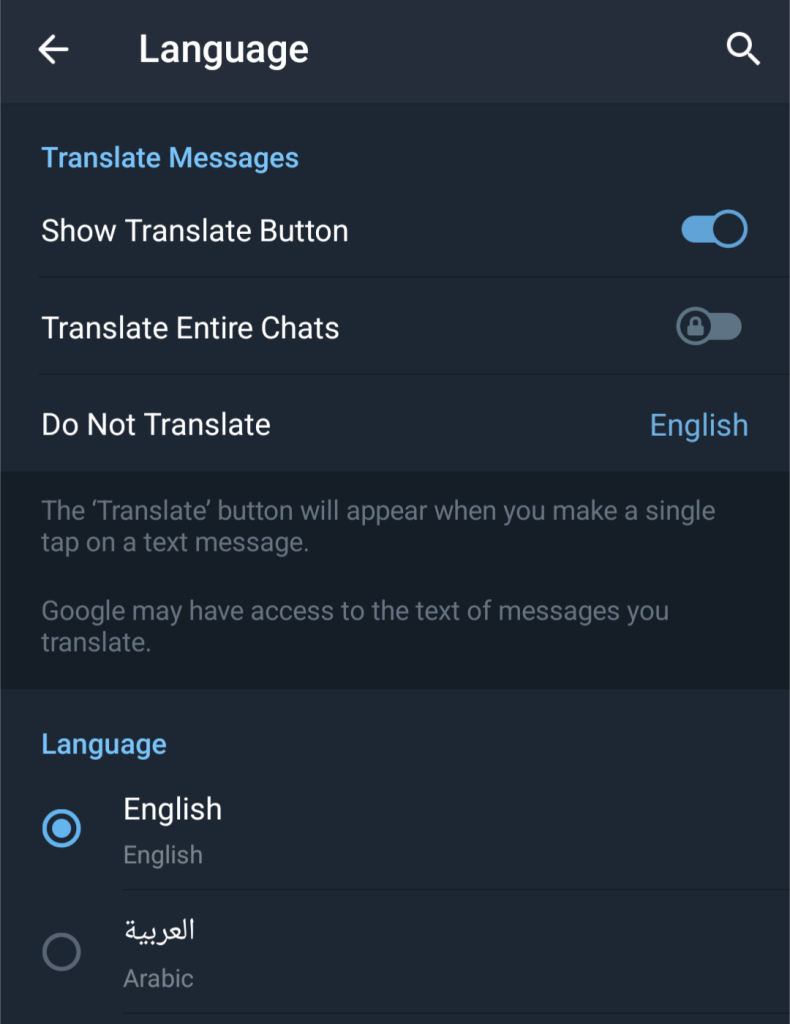
Telegram’s recent update has introduced a real-time translation feature, making it even easier to overcome language barriers while traveling. Here’s how to use it:
- Enable Translation:
- Go to Settings > Language.
- Turn on the “Show Translate Button” option.
- Translate Messages:
- In any chat, long-press a message.
- Tap the “Translate” option that appears.
- The message will be translated into your default language.
- Change Translation Language:
- If you want to translate a message into a different language, tap the language name next to the “Translate” option.
- Select the desired language from the list.
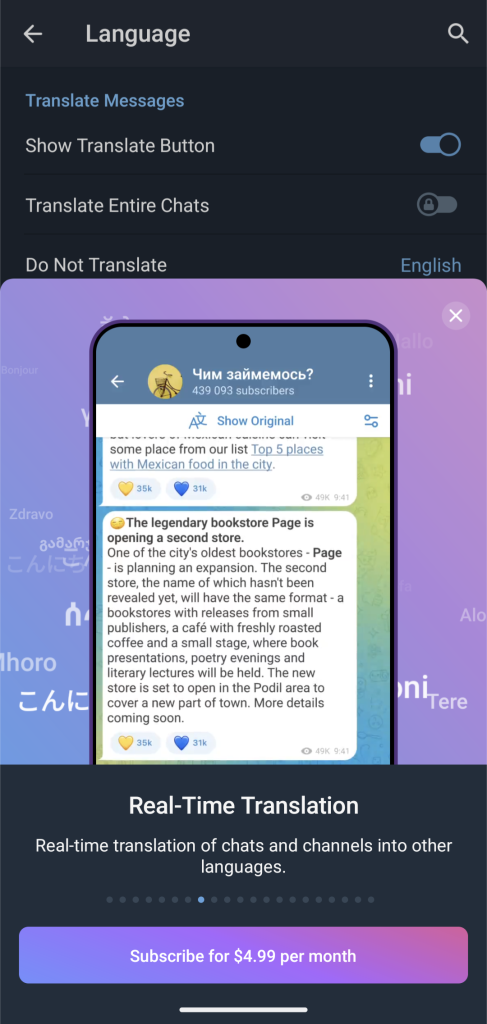
Telegram Premium users can also benefit from the real-time “Translate Entire Chats” feature, which will allow the app to bulk translate entire chats, channels, groups, and Telegram bots to your chosen language.
Real-time Location Sharing in Telegram
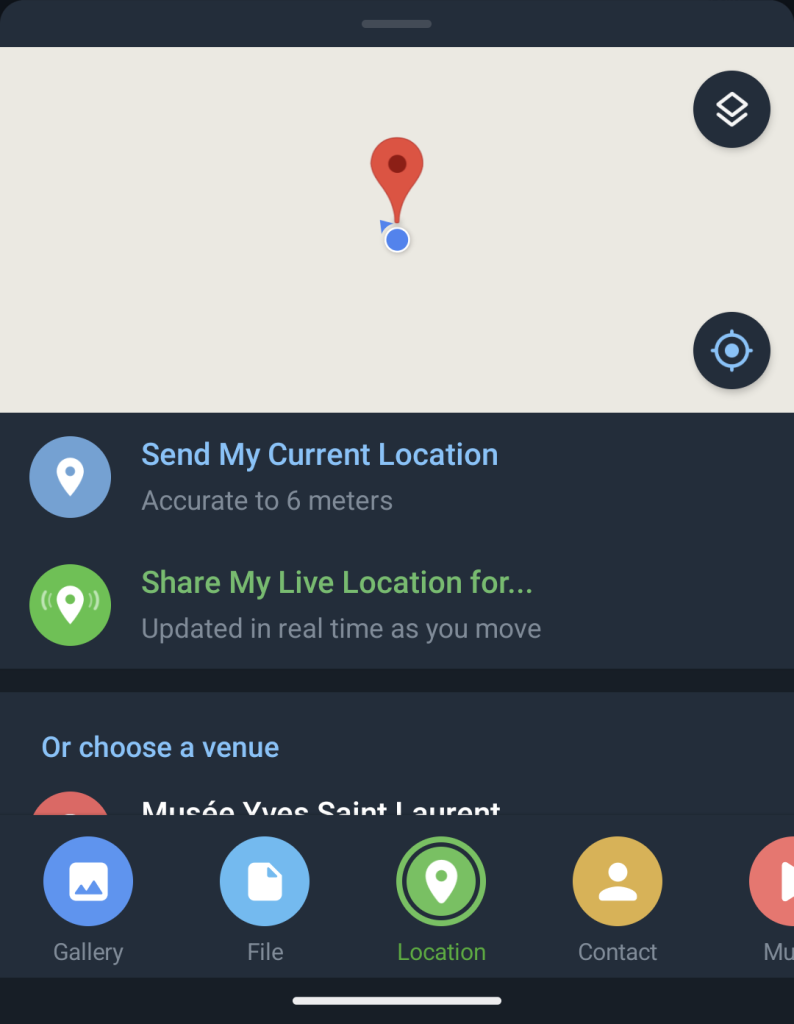
Sharing your location in real time can be incredibly useful, especially when traveling in groups. Here’s how to do it on Telegram:
- Open a Chat:
- Select the chat with the person or group you want to share your location with.
- Share Location:
- Tap on the attachment icon (paperclip).
- Choose “Location” and then “Share My Live Location.”
- Select the duration for which you want to share your location.
This feature helps everyone stay coordinated and find each other easily in crowded places.
Telegram bots are among those incentives for users, which help them choose exactly this messenger for everyday use. If you are tired of boring and routine processes, chatbots will give you a helping hand. They are simple, quick, assist in saving time and business effort, improve your performance, and simplify your traveling. We are going to talk about traveling today. In this article, you will find the info about 5 best Telegram bots to help you plan your travel itinerary and spare your funds.
AirTrack (@airtrack_bot)
It is one of the most popular travel chatbots. It can find the cheapest flights and track their prices. Having found a suitable flight according to your needs, you can create a price tracking routine and receive flight alerts as soon as the flight price changes. Thus, you do not have to manually check ticket prices every day. Just leave this job to the bot.
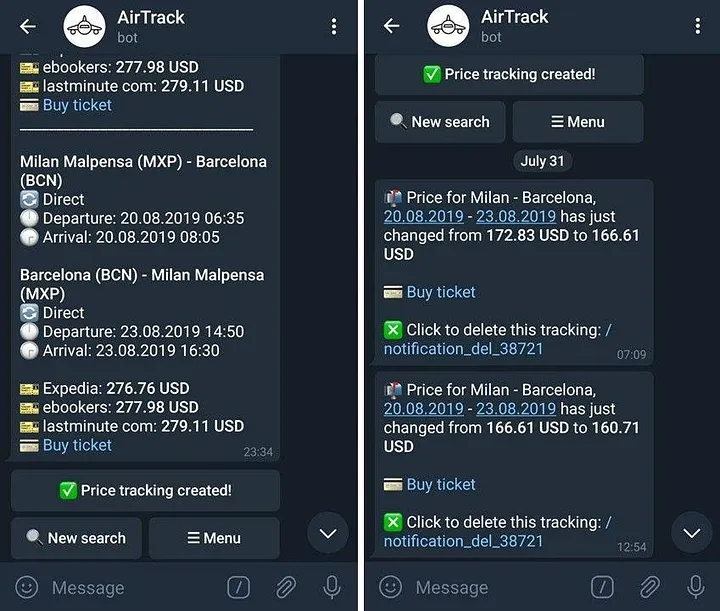
AirTrack is integrated with the Skyscanner system and will redirect you to the cheapest provider’s website if you want to buy your ticket. The bot is available in 5 languages and offers a vast list of currencies.
HotelBot (@hotelbot)
An easy-to-use hotel chatbot offers the largest hotel database from all over the world thanks to its integration with Booking. It allows you to search for accommodation sorting it based on prices or popularity, view accommodation photos, and share hotel options directly in the messenger.
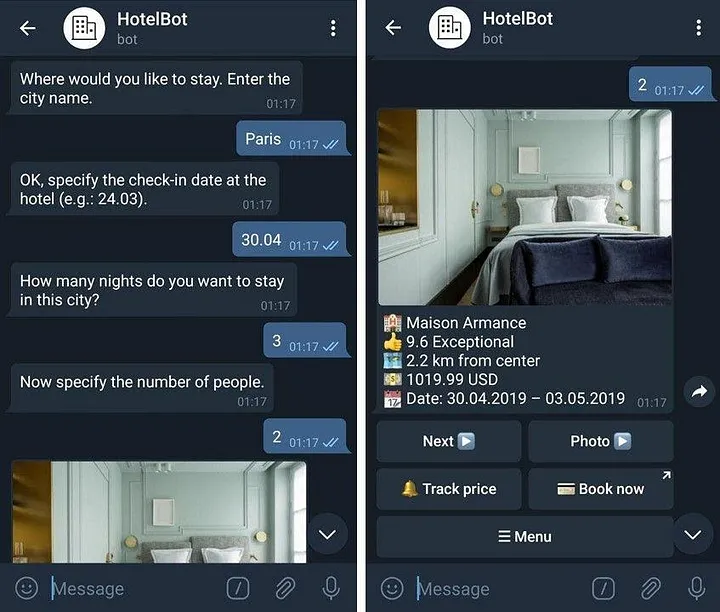
This bot will be a perfect tool for choosing and booking hotels when your internet connection is poor. Besides, HotelBot can track accommodation prices and notify you about the best time to book it. You can communicate with the bot in 4 languages.
New Snapchat Sharing Lens
Whether it’s your signature song or a new single you can’t stop playing on repeat, the music you love to listen to is a part of who you are. And we know Spotify users regularly share the music they’re loving with friends, as the number of songs shared to social media platforms grow each year. Now Spotify is expanding its partnership with Snapchat to bring users a whole new way to share their favorite tracks with friends and express themselves in stories.
Snapchat’s augmented reality Lenses let users transform their appearances and backgrounds. When sharing tracks from Spotify to Snapchat, you can now put you and your friends in the spotlight. The new “Share Track Lens” lets you capture the world around you on camera and easily share a track you’re loving. The lens will overlay the song title, artist name, cover art, and a link to listen to the track on Spotify.
Access the new Lens directly from the Spotify share menu to create your own Snap and add authentic personalization to the music you share with your closest friends.
Here’s how it works
- Make sure your Spotify and Snapchat mobile apps are updated.
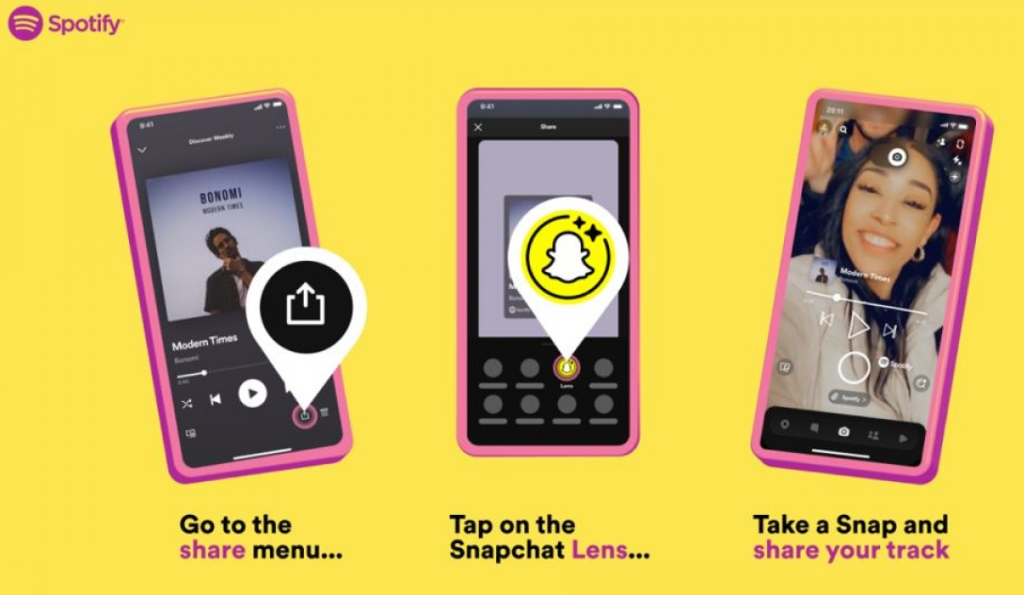
- Start by selecting a track you want to share from Spotify and open the share menu.
- Hit the Snapchat “Lens” icon. The Lens will generate the track information on Snapchat.
- Create your Snap and share.

This feature is rolling out globally starting today for both Android and iOS users in markets where both Spotify and Snapchat are available.
Spotify and Snapchat collaborate on a new sharing feature
Spotify and Snapchat have collaborated to introduce a new lens that allows you to photograph yourself and your surroundings and share music in a whole new way.
Spotify has partnered with Snapchat to develop a new lens that allows users to share their favorite tunes on the social media app. The “Share Track Lens” feature allows you to photograph yourself and your surroundings while sharing a song. The lens displays music information as well as a link to Spotify where you may listen to it.
To use this function, ensure your Spotify and Snapchat applications are up to date. Then, select the track you want to share from Spotify, open the sharing menu, and touch the Snapchat Lens button. When you share the Snap with your friends or in your Story, that lens will automatically produce track metadata on Snapchat, including the song title, artist’s name, cover art, and a link to the track.
Since 2019, Snapchat users have been able to share their Spotify playlists, but not while capturing themselves or their surroundings. The new Share Track Lens allows you to share a music and an image, comparable to Instagram.
“Whether it’s your signature song or a new single you can’t stop playing on repeat, the music you love to listen to is a part of who you are,” Spotify adds in a statement. “And we know Spotify customers often share the music they love with their friends, as the number of songs shared on social media channels grows year after year. When sharing Spotify tunes to Snapchat, you can now put yourself and your pals in the limelight.”
The new capability will be available to Android and iOS users in places where Snapchat and Spotify are available beginning today.